WYSIWYG, but the file is still Markdown
Edit headings, lists, and tasks on the page. What you save is still clean Markdown any other editor can read.
Download the desktop appPUBLIC BETA · VERSION 0.14.0
A local-first desktop Markdown editor for technical writers, developers, and keyboard-driven workflows.
macOS is not available yet. Use Windows or Linux packages below.
No account. No import step. Beta participation is optional.
ONE LOCAL FILE, TWO EDITING MODES
WATCH REAL RECORDINGS
Short clips from the desktop app. To try JNote yourself, download it — your files stay on your machine.
Edit headings, lists, and tasks on the page. What you save is still clean Markdown any other editor can read.
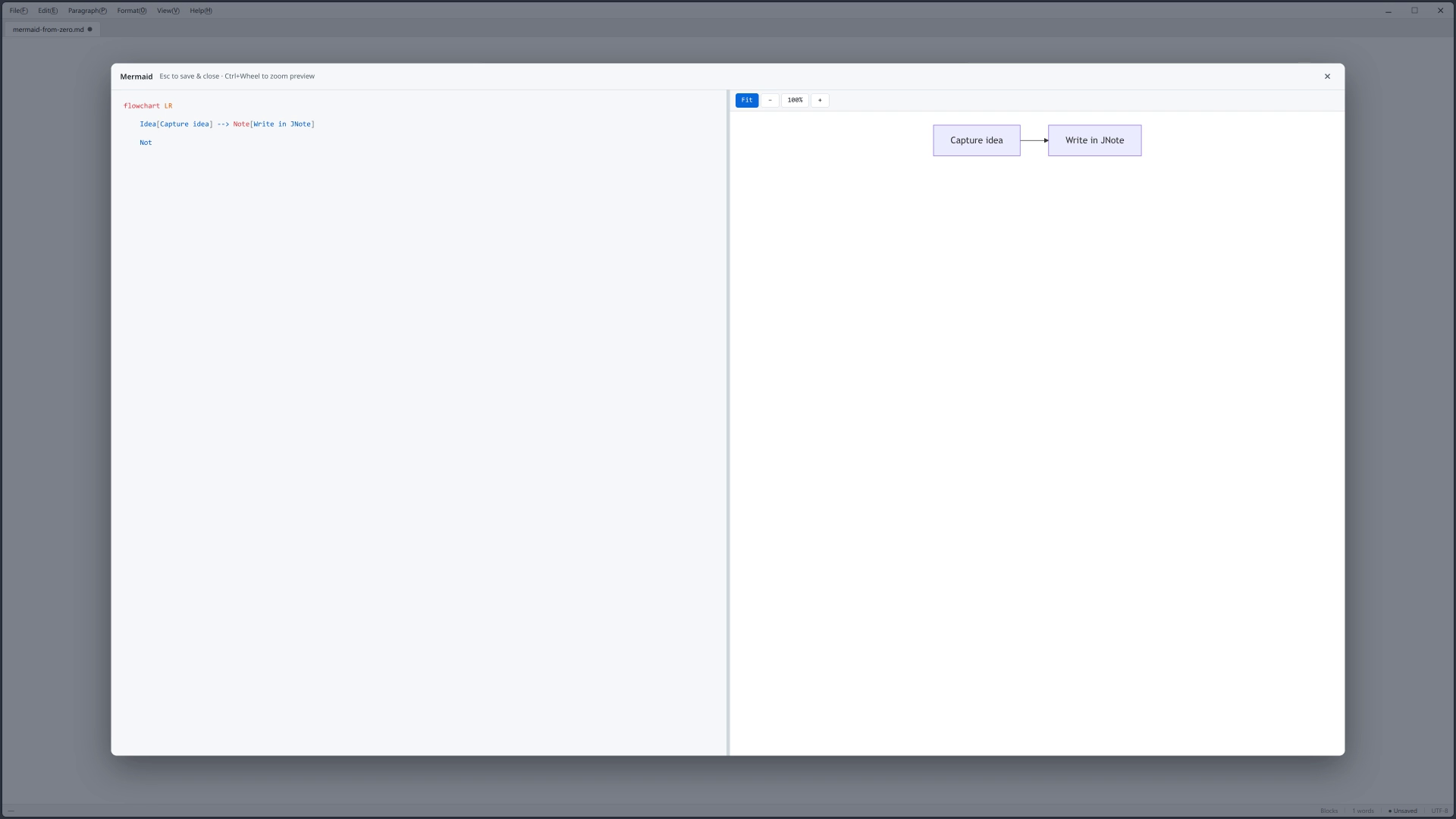
Download the desktop appStart from an empty Mermaid block, write syntax on the left, and watch the diagram update beside it.
Download the desktop appShort triggers offer completions; one Tab expands a template you can keep editing as ordinary code.
Download the desktop appOpen several local Markdown files at once. Paths stay on your disk — nothing is uploaded to try this out.
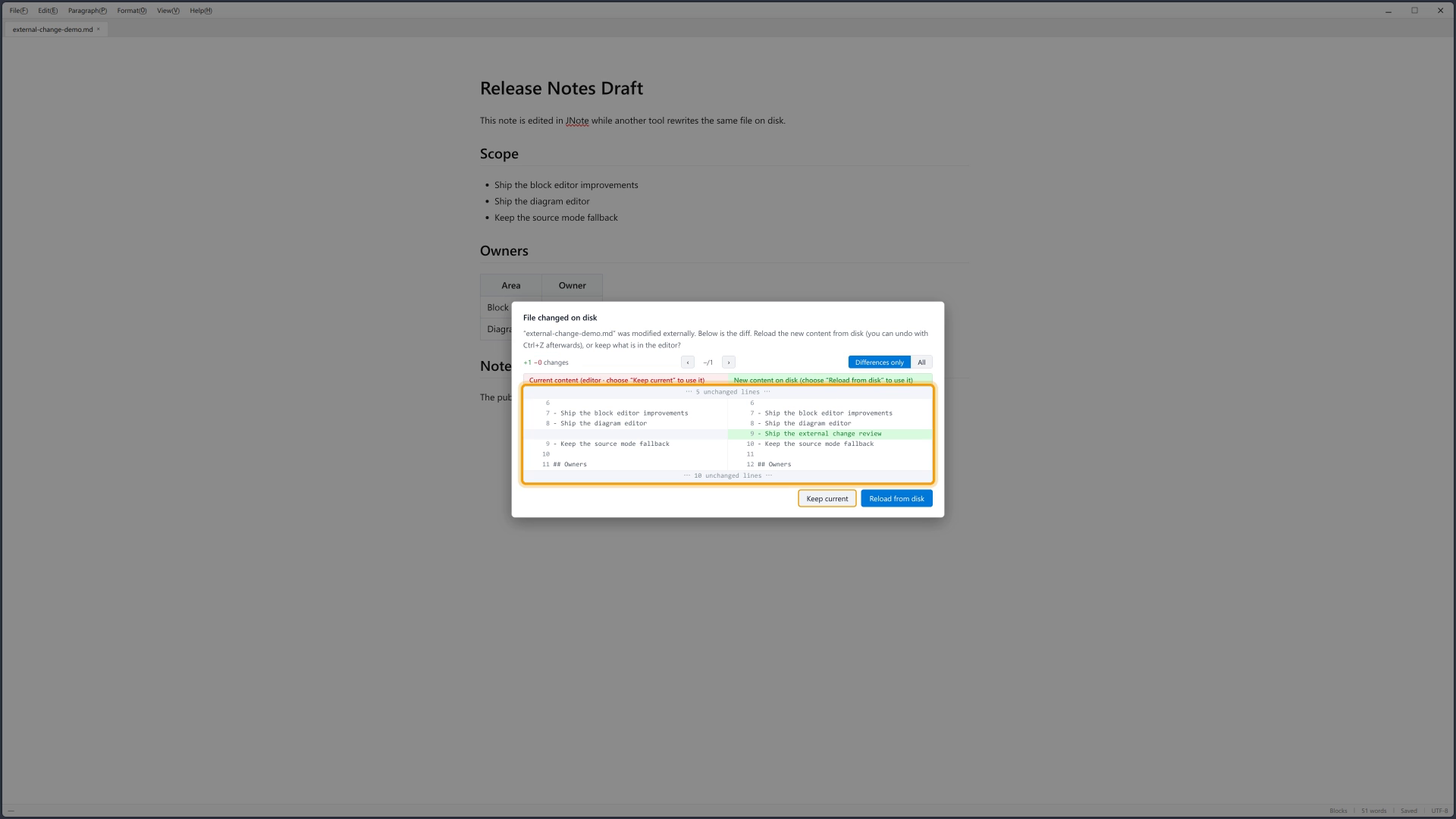
Download the desktop appWhen a file changes outside JNote, you get a line-level diff and choose keep or reload — never a silent overwrite.
Download the desktop appThemes follow light and dark environments so long writing sessions stay readable.
Download the desktop appmacOS is not available yet. Windows and Linux packages are in Download.
Local files only. No account. No cloud import.
CAPTURED FROM THE REAL APPLICATION
DOWNLOAD JNOTE 0.14.0
Every package comes from the public JNote GitHub Release. Source archives are not installers.
macOS is not available yet. Packages below are for Windows and Linux only.
WINDOWS 11 · X64
The recommended Windows package.
Download setup.exeLINUX · X86_64
A portable desktop package.
Download AppImageUBUNTU / DEBIAN · AMD64
For Debian-family package managers.
Download .debOPTIONAL, INVITE-ONLY SUPPORT
You do not need to be an existing customer. Tell us about a real Markdown workflow and your operating system. Approved applicants receive a private Discord invitation by email.
Email beta@jnote.app